The fastest way to work faster isn’t always a new AI tool. Most of the time, it’s removing the small things you repeat all day without noticing.
Here’s the image routine a lot of us run on autopilot: open the browser, search, download, jump to the desktop, drag the file into Photoshop or Figma, then clean up the desktop later. My browser saves everything to the desktop, and I have a “show desktop” shortcut to get there fast. It helps.
But what if you could skip the download and the desktop altogether? That’s where CI HUB came in for me.
What it is, and what it isn’t
CI HUB is a plugin that puts your files and image sources in a panel inside your design app. Photoshop, Figma, Illustrator and plenty more. It isn’t one big feature that changes everything. It’s a set of small time savers that add up. To be honest, it works best in larger team settings, so if you mostly work alone, start small.
Five steps to cut the back-and-forth
1. Connect the sources you already use. Unsplash, Adobe Stock, Shutterstock, Dropbox, Google Drive and Adobe CC Libraries can all live in the same panel. You have to connect your accounts, but you do it once. The CI HUB website has installation steps and video tutorials.
2. Search without leaving the document. Type what you’re looking for, then narrow it down with the filters. You can even change the size of the previews if you want a better look. Metadata, like copyright notes, can be dragged straight into your design, so that information stays with the asset.
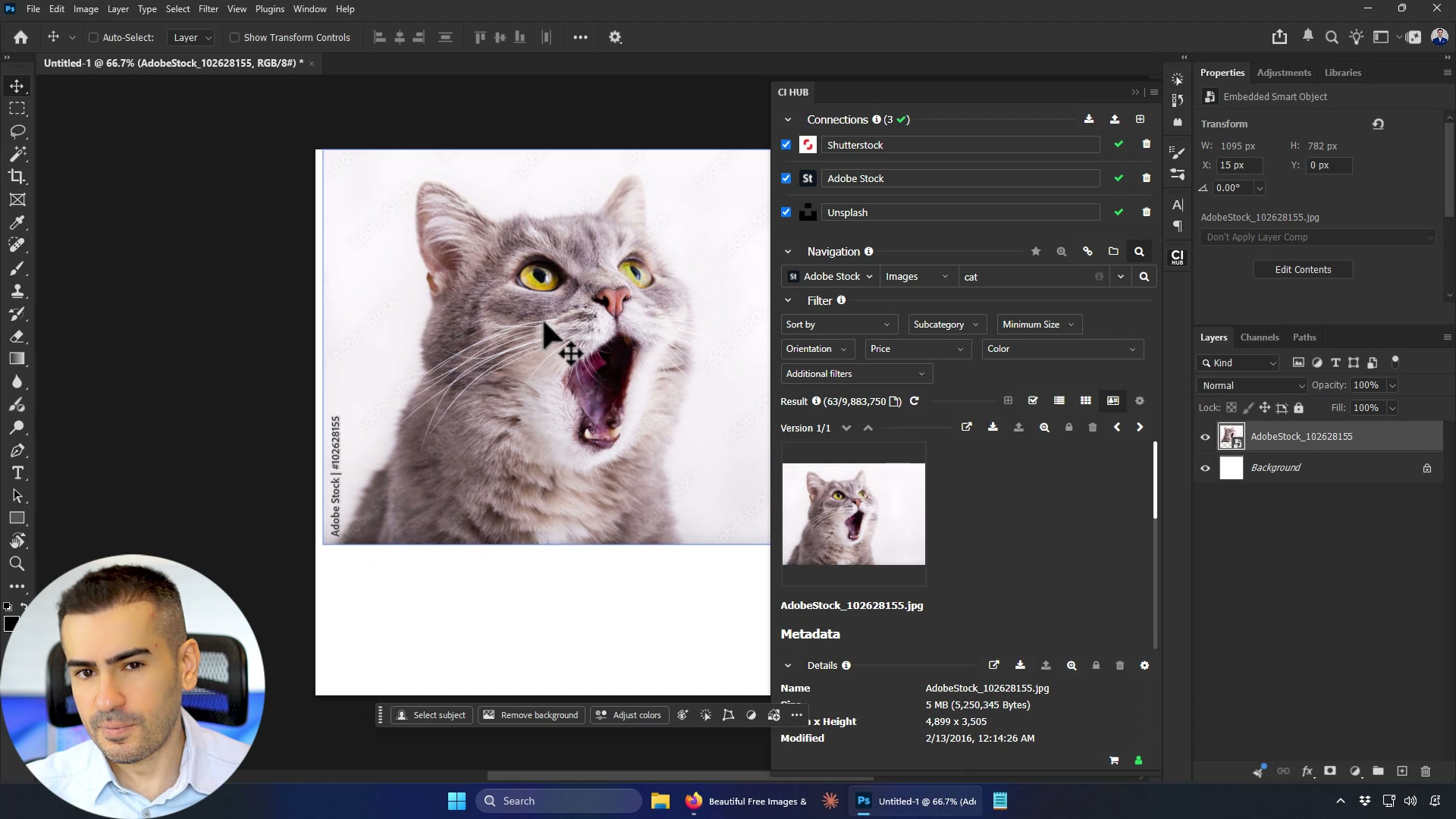
3. Find a similar image when one is almost right. Say you like a photo but want a slightly different angle or styling. Similarity search looks for similar images in the places you choose. Found something on Shutterstock? Check for a similar one on Adobe Stock if you already subscribe there.
4. Keep each client one click away. When you work for a particular client, favorite their folder so you can get to it quickly. Need to send an asset back? Select the image in your design, click “Add file”, then push and relink it to Dropbox, Box or Google Drive. No manual relinking.
5. Keep heavy files and revisions under control. Raw photos from a DSLR are fantastic to edit, but they’re huge, and they slow Photoshop down. Pick a smaller rendition instead. And instead of folders full of “final 1”, “final 2” and “final final” PSDs, use the versioning arrows in the panel to move between layouts, typefaces or color schemes.
When the client wants a different photo
You’re working on ads in several aspect ratios, all using the same product photo. Then the client asks for a different one. In Figma, CI HUB knows that image has been used multiple times. Select the new photo, choose “Replace all”, and every design updates.
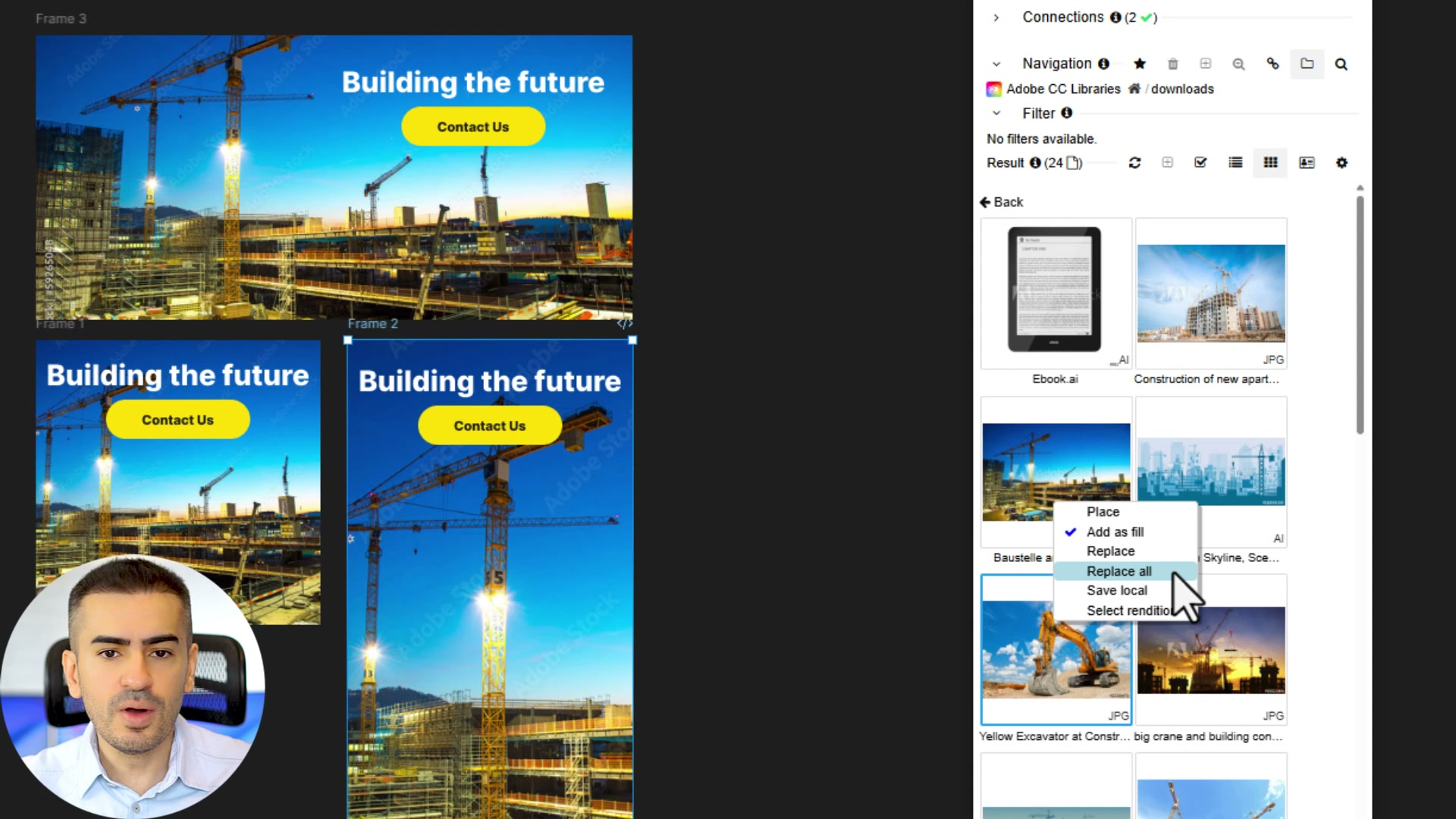
You can also drop images into rectangles, frames and even text. And when a file you placed from Dropbox changes, say the retoucher finishes their pass after you’ve already used the photo, CI HUB shows a clear notice. You decide whether to update or keep the current version.
Is it worth the setup?
The hardest part is connecting everything and exploring all the features. I’m not even scratching the surface here. My advice: connect one source you use every day, try it on a real project, and count how many trips to the browser disappear.
Supported apps and pricing can change, so check the official CI HUB Connector Professional page and the CI HUB for Figma page before you commit.